
Subscribe to our newsletter
for the latest edTech news, free resources and competitions!
Touch Typing for Primary Schools with 2Type
March 12, 2026
As technology continues to develop, it becomes ever more vital that children learn basic computing skills on a range of devices. This includes using a mouse, a trackpad, a touch screen and typing on a keyboard. If you’ve ever taught a lesson where a keyboard is involved, you will know how much time typing a single sentence can take up.
Top Tips for Typing Success
- Invest in child-friendly keyboards with lower-case letters and labels for special keys (e.g. ‘space bar’ & ‘enter’) - sometimes a lot of time is taken up with children not recognising the capital letters on a regular keyboard
- Print or display a large keyboard to practise finding keys as a class
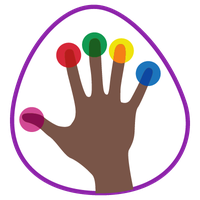
- Use the 2Type Poster on desks to practise finding keys with the right fingers
- Ensure children sit with the correct posture, using this video
Touch Typing Lessons for Kids
With a Purple Mash subscription, not only will children get access to an amazing range of digital tools and resources to develop their computing skills, but there’s also a tool just for learning touch typing.
All of the tools and resources mentioned in this blog are available with a subscription to Purple Mash. If you'd like to try Purple Mash for free, click the button below.
2Type: Touch Typing Made Easy
2Type teaches students how to type correctly on a QWERTY keyboard with progressive activities and games.
Once children have looked at the layout of a keyboard and checked their posture, they can start with the touch typing activities. Animated hands guide children to the correct finger for each key as they fight against the clock to set a high score. Users can adjust the speed and duration of each typing activity before they play, making 2Type perfect for all abilities.
First Steps for Touch Typing in School
The first steps activities in Purple Mash include locating keys on the home row, top row, and bottom row with progressive activities. These activities are then concluded with the Falling Letters touch typing game.
Moving on to Next Steps for Children's Touch Typing
When children are ready, they can continue to the Moving On activities, where they will type CVC and High Frequency Words, as well as phrases, colours and numbers, progressing onto touch typing full paragraphs.
Every challenge can be set as a 2do in the normal way, and pupil speed and progress is easily tracked with a score report.
Touch Typing Games
Within the 2Type folder, there are two touch typing games for children:
2Pop
Bubbles with letters will appear on the screen. Children should keep their fingers in the home key position, and pop the bubbles by pressing the corresponding key on the keyboard.
Falling Letters
Letter keys will fall from the top of the screen, and children must press the correct keys before they land at the bottom and turn to stone! They must avoid the letters building up and filling the screen.
Touch Typing Activities for each Year Group
Teachers can also use the Typing Across the Years activities for an even more progressive development of skills. Each year group includes an overview and 6 focus areas, with a selection of activities for these. All of the activities are short and designed to be used at the start or end of a lesson. They are not mandatory, but a great option to build typing skills where they are needed.
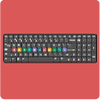
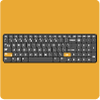
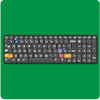

Want to try the Typing Across the Years activities with your class? Get a free trial of Purple Mash by clicking the button below.