Subscribe to our newsletter
for the latest edTech news, free resources and competitions!
How to Use 2Connect in the Classroom: More Than Just a Mind Map Tool
April 28, 2026
Mind mapping is a crucial part of the writing process - children usually struggle at the preliminary stages of knowing what to write about and how to organise it.
Mind maps show relationships between ideas, and allow children to break a topic down into a main idea and sub points, building a clear plan before writing (Rai & Kaur, 2024).
Evidence shows that students who use concept maps performed better in writing tasks than those who don't, and there is a correlation between the quality of the concept map and writing performance - better planning leads to better writing (Liu, 2011).
Concept mapping also reduces barriers to learning, particularly for younger learners, those who struggle with writing mechanics, and those with difficulties with working memory: concept maps reduce cognitive load and improve memory and recall of ideas (Kefalis, Skordoulis & Drigas, 2025).
It's no wonder then that schools regularly weave mind mapping into their writing process, but juggling large sheets of flipchart paper, or laying it out in exercise books in a way that it can be read clearly in the next lesson can be tricky. 2Connect makes the whole mind mapping process easier and more intuitive, and removes even more barriers.
What is 2Connect?
2Connect is a fantastic tool for concept mapping, and can be used to support budding writers with planning and the writing itself. There are also many more uses, so read on for ideas on how to use this brilliant tool.
Mind Mapping in the Primary Classroom
At its heart, 2Connect is designed for concept mapping.
Children can:
- Add ideas quickly
- Link concepts visually
- Group and restructure their thinking
- Turn their ideas into writing
- Work collaboratively with their classmates in real time
Unlike paper-based mind maps, 2Connect has an infinite canvas which is scrollable - children are no longer limited by space.
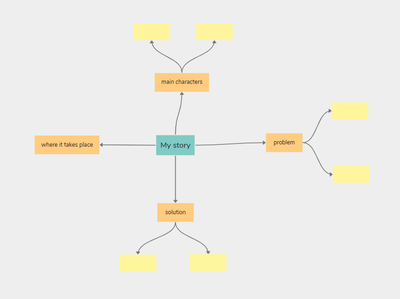
To save even more time, there are ready made templates contained in 2Connect for use in the classroom, including character description, persuasive writing, debate planning, recount writing, story planning, and more.
Turning Ideas into Sentences
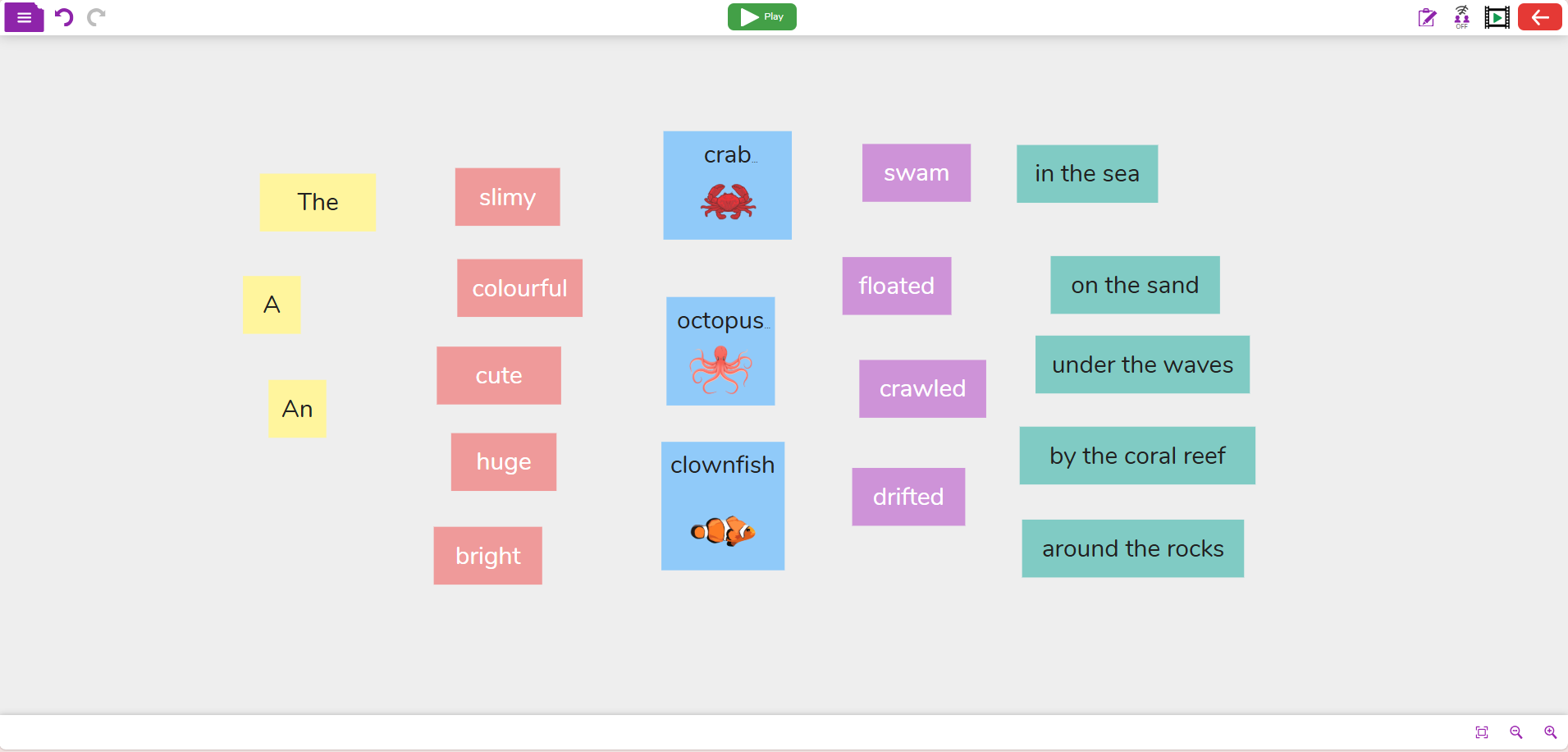
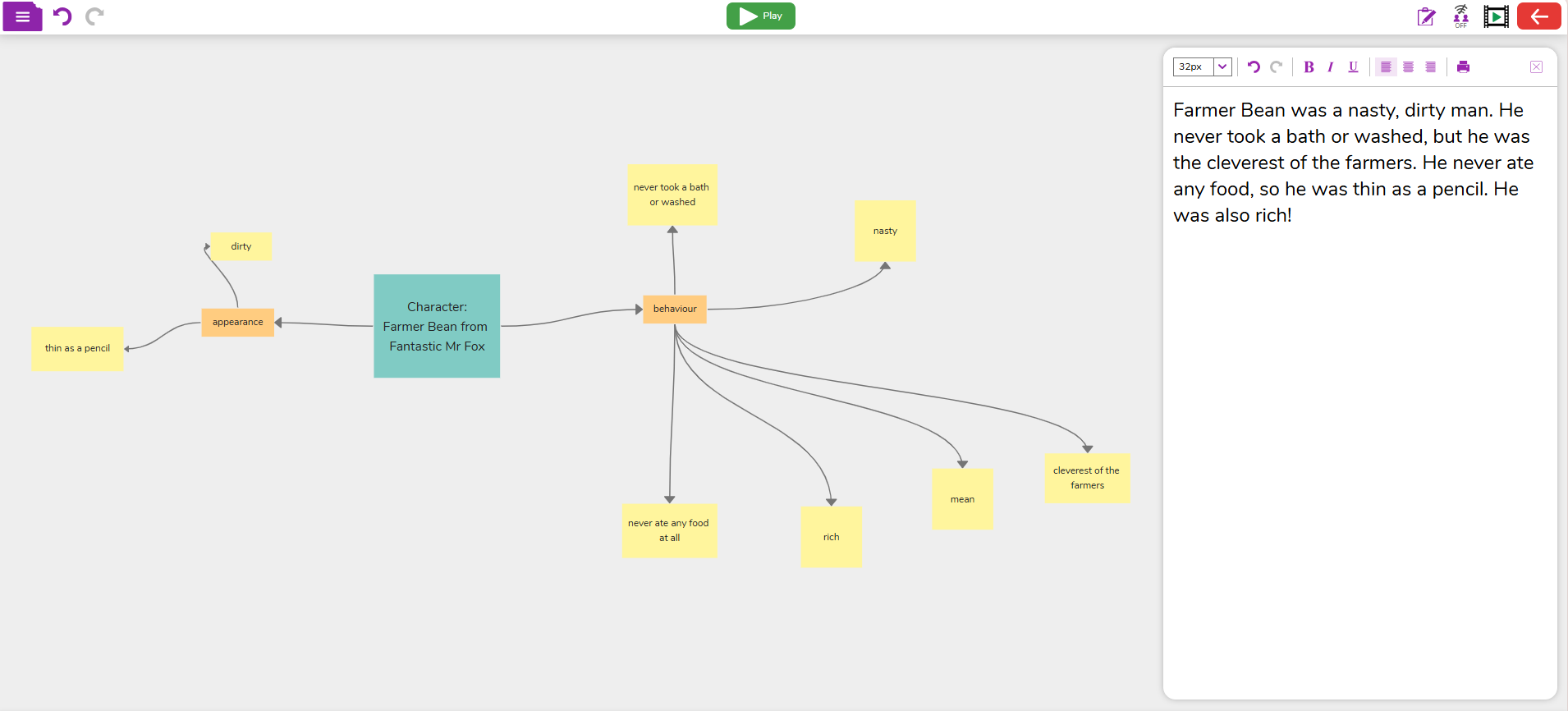
One of the biggest challenges when teaching writing is moving from ideas to a fully structured sentence. 2Connect bridges that gap with its writing mode, allowing children to:
- 'Send' their ideas to the writing pad in just a click
- Write ideas in the same screen as their mind map
- Use the structure of their mind map to guide their writing
Real-Time Collaboration
Moving from paper to a device doesn't mean that children have to work individually - with the collaborative working mode, children can connect with their classmates and work together on one concept map. When working in collaborative mode, children will see each other's ideas appear instantly - it's great for:
- Group planning tasks
- Shared story writing
- Debates and discussions
- Project-based learning
Easy Presentations - Without PowerPoint
With 2Connect's built-in presentation mode, children can display their concept map. The map becomes interactive, and blocks can be expanded or collapsed, with steps being revealed step-by-step.
Because the content is already organised visually, there is no need for children to spend additional time adding the information into a slideshow, giving them more time to focus on their research and ideas.
Supporting SEND Pupils with Writing
There are a number of features which support children with SEND in the writing process.
- Choose between Simple and Advanced mode, or choose a pre-made template
- Add voice recordings to the blocks
- Change colours of blocks
- Change font style
- Click to 'send' a block to the writing pad
2Connect reduces cognitive load with the visual layout, and supports non-linear thinking, which is perfect for neurodiverse children.
Ideas for Using 2Connect in the Classroom
- Story planning and sequencing
- Non-fiction writing
- Debate preparation
- Topic research
- Sentence building activities
- Presentations (teachers can even make them!)
- Retrieval practice and revision